In this article
The Challenge

Over the Thanksgiving break in 2025, I decided to take a deeper dive into vibe coding and see just how far I could take the idea of using AI agents to build and deliver a working application. I’d been experimenting with GitHub Copilot and other AI coding tools for some time, but I wanted to go beyond just asking AI to write some code. I wanted to see what would happen if I treated these agents like an actual software development team.
The timing was perfect because GitHub was hosting its annual Game Off 2025, a game development competition where individuals and teams had the month of November to build a game around a specific theme. The 2025 theme was WAVES, which left plenty of room for creativity for as I’m a baseball fan and the wave is common activity at baseball games. For some odd reason they don’t do it at Wrigley field.
The rules were pretty simple. Build a game using whatever programming language or framework you want, host the source code in a public GitHub repository, and submit the game through itch.io before December 1st. I made it with one day to spare!!!
So I decided to build a game based on something most sports fans have probably participated in at least once, the stadium wave.
Introducing Fan Wave
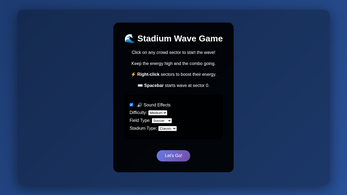
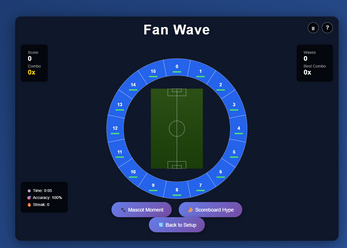
Fan Wave was the browser-based game I built where players tried to keep the wave moving around a stadium by coordinating different sections of fans. Sounds simple enough, right?
Well, there’s a little more to it.
The game featured 16 AI-controlled crowd sections, each with different energy levels, fatigue, and enthusiasm. Players could start waves, keep the crowd energized, and build combos by successfully moving the wave around the stadium. They could even switch the playing field between football, baseball, and soccer.
Under the hood, the game used Python for its game engine, JavaScript and HTML5 Canvas for rendering, and Pyodide to run the Python code directly in the browser. I deployed it to Azure Static Web Apps, with GitHub Actions handling CI/CD.
But the game itself wasn’t really the biggest learning opportunity. That came from how I built it.
Meet My Development Team
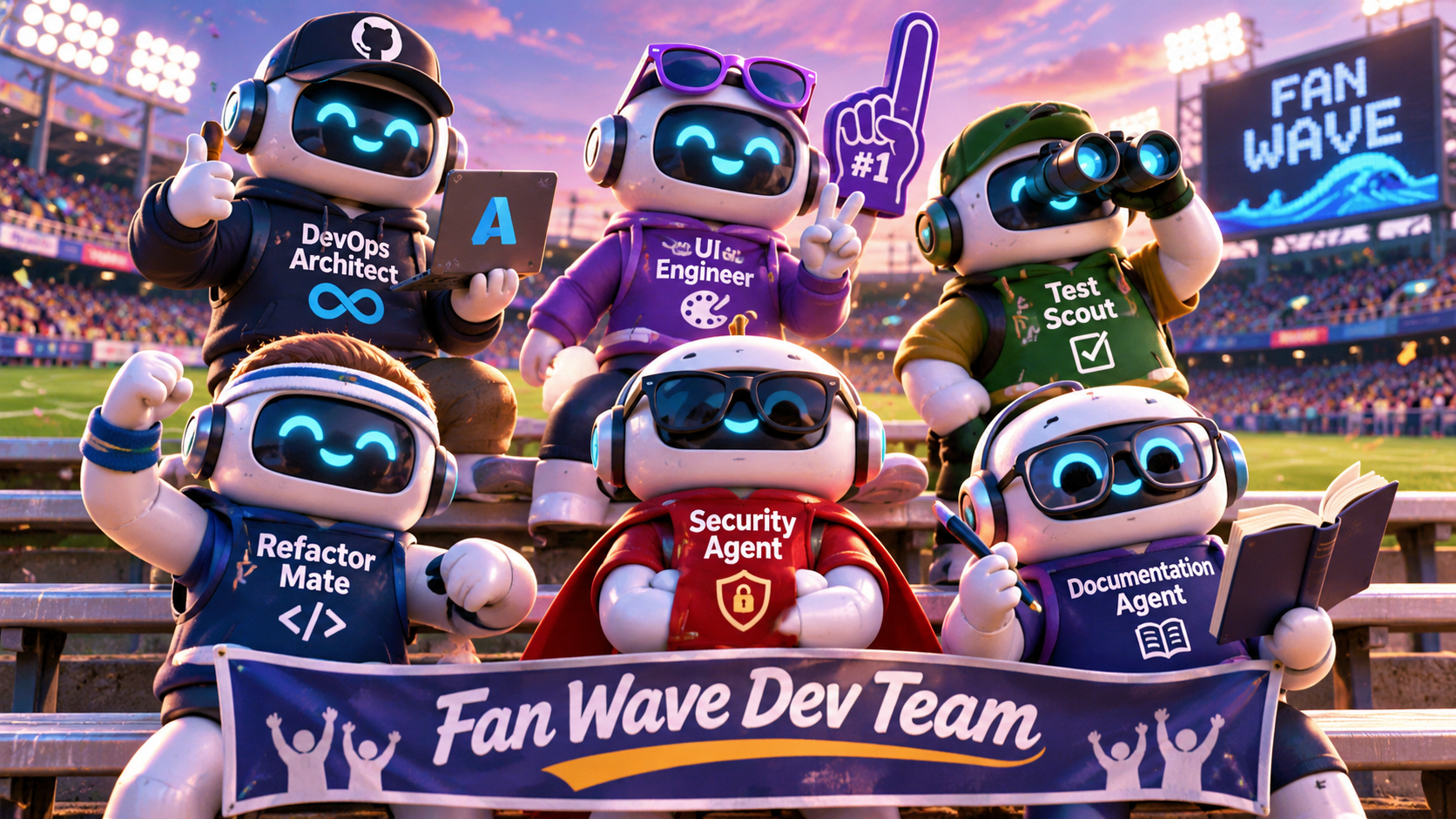
One of the things I wanted to experiment with was the orchestration of AI agents. Instead of having one general-purpose agent responsible for everything, I created six specialized agents, each with a specific role and set of responsibilities.
I thought of it as building a small software development team, except the team members were AI agents working alongside GitHub Copilot and Codex.
DevOps Architect
This agent was responsible for the infrastructure and delivery side of the project. Its focus was on CI/CD, deployment workflows, security considerations, and helping us establish a repeatable process for getting changes into Azure Static Web Apps.
UI Engineer
Since this was a browser-based game, the user experience was pretty important. This agent focused on the interface, animation performance, rendering, and making sure the game worked across different browsers and screen sizes.
Test Scout
This was my quality engineering agent. Its responsibility was identifying gaps in test coverage, recommending test cases, and making sure we weren’t introducing regressions as new features were added.
Refactor Mate
As you can imagine, when AI generated code quickly, things could get messy. This agent focused on identifying duplicate code, simplifying complex logic, and improving the overall quality and maintainability of the codebase.
Security Agent
Even though this was just a game, I didn’t want to ignore security. This agent was responsible for reviewing code and pull requests, looking for vulnerabilities, exposed secrets, risky dependencies, and configuration issues.
Documentation Agent
Finally, I had an agent responsible for documentation. Its job was to keep the README and supporting documentation updated so someone unfamiliar with the project could understand how the game worked, how to run it locally, and how to contribute.
The idea was pretty simple. Give each agent a defined responsibility, establish some guardrails, and use the right agent for the right task.
This was also a great opportunity to learn that creating agents was one thing, but getting them to work together toward a common goal was something entirely different.
From GitHub Issue to Production
I wanted to approach this project the same way I would approach a real software development project, using familiar DevOps practices but introducing AI agents into the delivery process.
Rather than just prompting Copilot to build the entire game in one shot, I wanted to break the work down into smaller, manageable pieces.
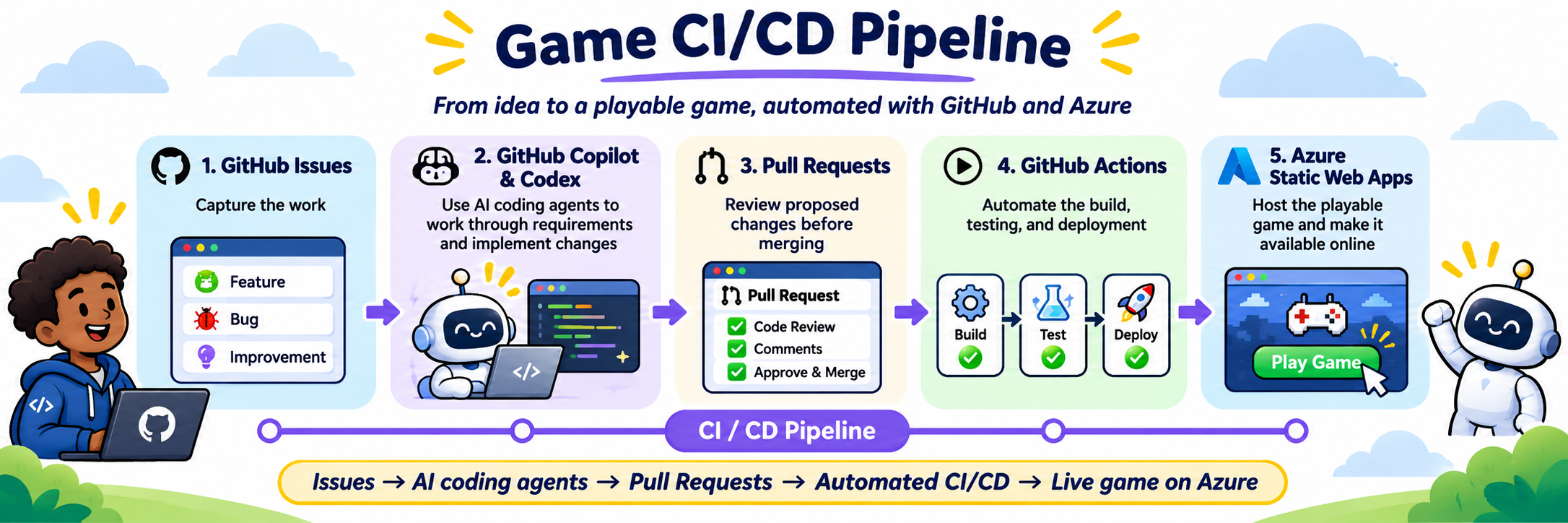
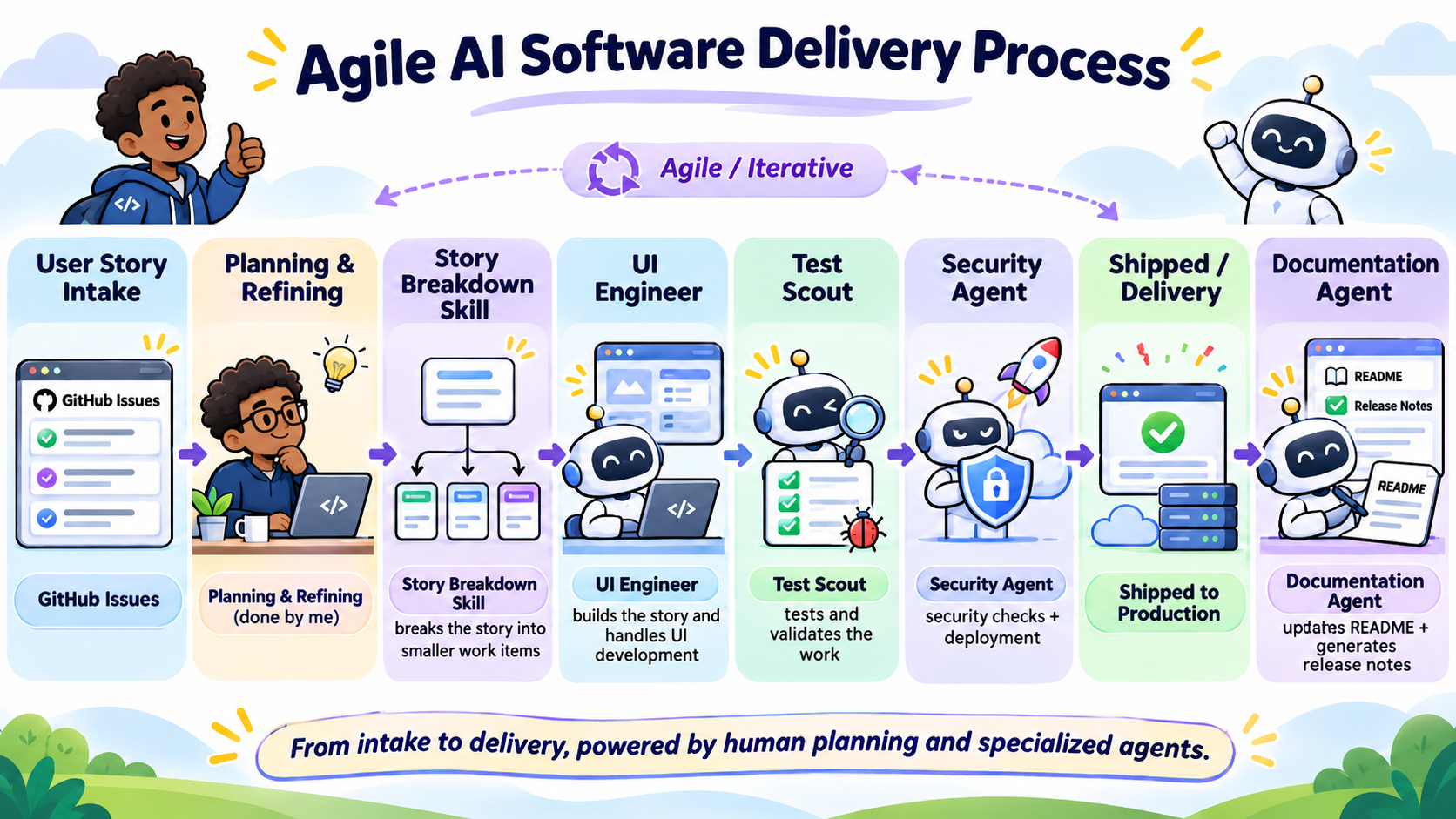
The workflow I was experimenting with looked like this:
- GitHub Issues: Captured the feature, bug, or improvement that needed to be made.
- GitHub Copilot and Codex: Used AI coding agents to work through requirements and implement changes.
- Pull Requests: Reviewed proposed changes before merging them into the main branch.
- GitHub Actions: Automated the build, testing, and deployment process.
- Azure Static Web Apps: Hosted the playable game and made it available online.
What I liked about this approach was that the agents weren’t replacing the software development lifecycle. They were participating in it.
We still had requirements, source control, pull requests, automated testing, and deployments. The difference was that AI agents took on more of the implementation work while I focused on defining the desired outcomes, reviewing changes, and deciding what happened next. And that was where things started getting interesting for me.
The Art of Being Descriptive
One of the biggest lessons I learned during this project was how important it was to clearly describe what I was trying to accomplish.
I started thinking of it as storytelling.
When I gave an agent a vague request, I risked getting a vague implementation. But when I provided context, explained the expected behavior, defined the boundaries, and described what success looked like, the agent had a much better chance of delivering what I wanted. That became even more important with multiple agents involved.
For example, the UI Engineer might have focused on making the game look great while Refactor Mate wanted to simplify the same code. Both had useful goals, but without clear direction and shared context, their work could have conflicted.
That’s where orchestration came into play. It wasn’t just about having a bunch of agents running around writing code. It was about coordinating the work, establishing responsibilities, and making sure everyone was moving toward the same goal. And yes, that still meant keeping a human in the loop.
From Planning to Playable in a Couple of Days
The most interesting part of this experiment was seeing how quickly I could move from an idea to something that was actually playable.
Within a couple of days, I had a browser-based game with a Python game engine, animated crowd sections, scoring mechanics, automated tests, a CI/CD pipeline, and hosting in Azure.
Looking back, that was pretty impressive for something that started as a Thanksgiving-break experiment.
Did the agents get everything right the first time? Absolutely not.
But that was part of the learning experience. The goal wasn’t to eliminate every mistake or have AI magically build the perfect game. It was to better understand how to orchestrate agents, where they could accelerate development, and where human oversight was still necessary.
So, How Did We Do?
After all the experimenting with AI agents, building the game, and getting everything deployed, there was still one question. How did we actually do in the competition?
Well, out of 699 ranked games in GitHub Game Off 2025, Fan Wave finished #459 overall, based on seven ratings. Our best category was theme interpretation, where we finished #325. We also ranked #439 for innovation, #479 for gameplay, #529 for audio, and #536 for graphics.
Was I disappointed we didn’t finish higher? Not really. Remember, I went into this competition wanting to learn how far I could take agentic development, not necessarily build an award-winning video game. In just a couple of days, I went from an idea to a playable application, with a team of specialized AI agents, automated testing, CI/CD, and a production deployment on Azure Static Web Apps.
For me, that was the bigger win. I learned a lot about what AI agents could do, where they struggled, and how important it was to give them clear instructions and keep humans involved throughout the process.
And hey, at least the game made it across the finish line!
Final Thoughts
What started as an opportunity to participate in GitHub Game Off turned into a much more interesting experiment around Agentic App Development.
I went into this project wanting to build a simple game and learn more about GitHub Copilot and Codex. I came away with a better understanding of how specialized AI agents could participate in the software development lifecycle, from planning and development through testing and deployment.
For me, the real value wasn’t necessarily how much code AI could generate. It was how these tools helped reduce the time between having an idea and getting something useful into the hands of users.
And learning all that while building a game about fans doing the wave at a stadium? That turned out to be a pretty good way to spend Thanksgiving break in 2025.
Project Links